How to Build a Thriving Gaming Community: Linking Your High-Performance Server to Discord

Introduction: The Power of Community
In the world of online gaming, a server without players is just an empty digital space. Whether you are running a Minecraft survival map, a competitive Rust server, or a GTA RP world, one thing is certain: Community is King.
Today, the heart of every gaming community beats on Discord. It is where alliances are formed, rules are discussed, and voice chats happen. But how do you bridge the gap between your game server and your chat server?
If you are looking to create a massive community, often searched for by players as a servidor de jogos discord br (Brazilian Discord game server) or similar international terms, you need two things: rock-solid hosting and perfect Discord integration.
Why Discord + Fire Hosting is the Perfect Match
Players hate lag, but they also hate silence. By using Fire Hosting for your game infrastructure and Discord for your social hub, you solve both problems.
- Low Latency Gameplay: Fire Hosting ensures your “servidor” (server) runs at high tick rates with zero lag.
- Instant Support via Discord: You can use Discord tickets or chat (crisp) to contact us.
- Automated Notifications: You can link your Fire Hosting server console to Discord bots to announce restarts, player counts, or in-game events automatically.
Reaching a Global Audience (The “BR” Factor)
Why do we mention the term servidor de jogos discord br? Because the gaming world is global. Brazil (BR), for instance, has one of the most passionate gaming communities in the world, especially for games like FiveM, Minecraft, and CS:GO.
Even if your server is hosted in Europe or North America, optimizing your community for different regions is smart.
- Create language-specific channels in your Discord.
- Choose a central server location on Firehosting to ensure decent ping for international players.
- Tag your server correctly: If you want to attract that massive audience, using tags in your server description like “International”, “EU”, or even “BR” can help players find you.
Step-by-Step: Launching Your Project
Ready to start? Here is the blueprint to launch your project today:
Step 1: Rent Your Hardware Don’t host on your home PC. It’s noisy, uses too much electricity, and isn’t reliable. 👉 Check out Firehosting’s Game Server offers here. Whether you need a small start-up server or a massive machine for 50+ players, we have you covered.
Step 2: Set Up Your Discord Create your Discord server before you open the game server. Set up roles (Admin, Moderator, Player) and permissions.
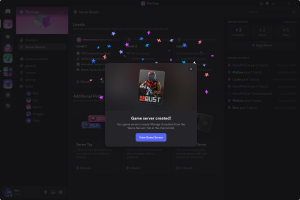
Step 3: Connect the Two Use plugins or bots (like DiscordSRV for Minecraft) to sync your in-game chat with a Discord text channel. This makes your server feel “alive” even when players are offline.
Step 4: Promote with Keywords When listing your server on server lists, use the keywords players actually search for. If you are open to international players, terms like “Global PVP”, “EU/US Host”, or the popular servidor de jogos discord br can drive unexpected and high-volume traffic to your community.
Conclusion
Building a successful server isn’t just about installing files. It’s about creating a home for your players. By combining the raw power of Firehosting with the social connectivity of Discord, you are building the foundation for the next big gaming hit.
Stop dreaming and start hosting. Deploy your high-performance game server instantly with Firehosting.